As an Amazon Associate this site earns from qualifying purchases.
Quick Picks
| Frame | What the listing publishes | Best for | Link |
|---|---|---|---|
| BIGASUO Digital Picture Frame | 10.1" Frameo frame, 32GB memory, 1280x800 IPS touch screen | A named brand you can chase for support | Check Price on Amazon |
| 32GB FRAMEO 10.1 Inch Smart WiFi Digital Photo Frame 1280x800 IPS LCD Touch Screen | 10.1", 1280x800 IPS LCD touch, 32GB built in, auto-rotate portrait and landscape | Shelves and walls where orientation changes | Check Price on Amazon |
| FRAMEO Digital Picture Frame | 10.1" digital photo frame, WiFi, 32GB | A stripped-back Frameo replacement | Check Price on Amazon |
Disclosure: We earn a small commission from qualifying Amazon purchases at no extra cost to you.
As an Amazon Associate we earn from qualifying purchases. This page contains affiliate links, and we may receive a commission if you buy through them — at no extra cost to you.
As an Amazon Associate, we earn from qualifying purchases.
Last Updated: September 2026
If your digital photo frame won't connect to wifi, start at the router, not the frame. Reboot the router first and the frame second, make sure the frame is being offered a 2.4 GHz network with a straightforward password, then re-run the setup wizard. The overwhelming majority of these failures come down to a merged dual-band network name, a guest network with a sign-in page, or a password mistyped on a cramped on-screen keyboard.
Here's the thing: budget Wi-Fi frames are simple Android-style clients with a small radio and a tiny keyboard. They do not negotiate awkward networks the way a phone does. So the fix is almost always making the network simpler, not making the frame smarter.
Pricing on all three moves around, so check the current price on Amazon rather than trusting any number written in an article.
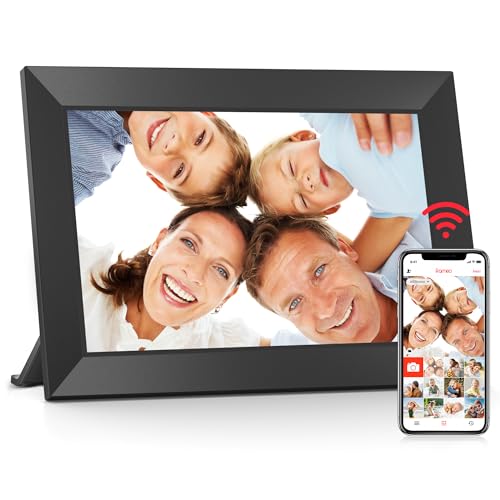
- [Frameo Digital Frame WiFi] Trusted by millions of users worldwide, Frameo offers a secure and private way to share memories. Powered by professional photo management technology
- [Quick Setup, Easy to Use] Designed with a user-friendly touchscreen, suitable for all ages. Setup takes only a few minutes. With the free Frameo app (available for iOS and
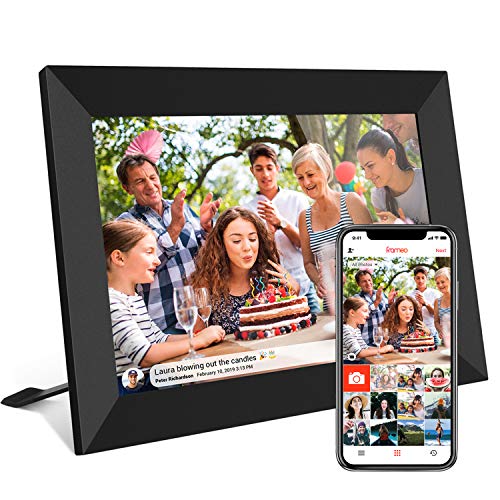
- 【SHARE PHOTOS AND VIDEO PRIVATELY, SAFELY】 Send photos or small videos (Max.15 seconds) directly to FRAMEO APP from anywhere in the world, friends and family can enjoy your
- 【IPS HD TOUCH SCREEN】 This 10.1” digital picture frame is featured with 1280*800 Resolution IPS touch screen which allows you to get a nice visual from any angle. Even at a
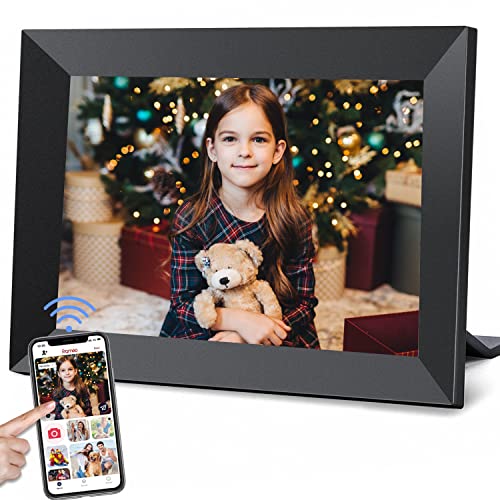
- Share Photos And Video Privately,Safely:With the app "Frameo" (available for download from Google Play and App Store), you can quickly and easily share your good time with your
- Auto-Rotate And Large 32GB Memory :YunQiDeer digital picture frame can automatically rotate photos to adjust the direction, allowing you to view the photos in either portrait or
The Problem: Why Wi-Fi Photo Frames Fail to Join a Network
A frame stuck on "connecting," or one that joins and then quietly drops a day later, is failing at one of four points: band selection, authentication, IP assignment, or signal. Each one has a different tell.
- Never connects, no error message. Usually a band or router security-mode mismatch.
- "Incorrect password" every single time. Often the password is fine and the network is a captive-portal guest SSID the frame cannot sign into.
- Connects, but no new photos arrive. The frame has an address; the problem is on the sending phone or the app side.
- Connects and drops overnight. Signal, channel congestion, or a recycled DHCP lease.
Step-by-Step: How to Fix a Frame That Won't Connect
- Reboot in the correct order. Power-cycle the router, wait until every device in the house is back online, and only then restart the frame. Doing it the other way round means the frame wakes up into a network that isn't ready.
- Test next to the router. Carry the frame to within a metre of the router for the setup attempt. If it joins there and fails on the sideboard, you have a placement problem, not a configuration problem.
- Split your dual-band network, temporarily. If your router broadcasts 2.4 GHz and 5 GHz under one name, log into the router admin page and give the 2.4 GHz band its own SSID, such as "Home-24." Join the frame to that. This single step resolves the digital picture frame 5ghz network issue more often than anything else on this list.
- Retype the password slowly. Watch capitals, and watch symbols that look alike on a low-resolution keyboard. If you can, set a temporary all-lowercase password with no symbols, connect the frame, then decide whether to change it back.
- Skip the guest network entirely. Guest SSIDs that show a browser sign-in page will fail forever on a frame, because the frame has no browser to accept the terms.
- Check the router's security mode. If it is set to WPA3-only, switch it to a WPA2/WPA3 mixed mode and try again.
- Free up a DHCP slot. Remove stale devices from the router's client list, or widen the DHCP pool, so the frame can actually be handed an address.
- Disable MAC filtering for the test. If it connects with filtering off, add the frame's MAC address to the allow list and turn filtering back on.
- Update both halves. Check for a software update in the frame's own settings menu, and update the sender's app on the phone. A frameo frame not connecting to wifi after months of working is often a frame that never took an update.
- Factory reset last, not first. A reset wipes the frame's stored photos and its pairing with family members, so treat it as the final move.
When a Wi-Fi Photo Frame Keeps Disconnecting
Intermittent drops are a different animal from a frame that never joins. Three things to try, in order: move the frame out of a metal or glass cabinet, set the router's 2.4 GHz radio to a fixed channel instead of auto, and assign the frame a static DHCP reservation so its address stops changing. Leave the frame powered continuously rather than switching it off at the wall each night, since every cold start is another chance for the join to fail.
Tools and Products You'll Need
You need three things: admin access to your router, the Frameo app on the sending phone, and patience. Amazon's listing for the 32GB FRAMEO frame markets sharing through the Frameo app from anywhere, which is why half of this troubleshooting happens on a phone rather than on the frame.
If the radio itself has died and the frame won't see any network at all, replacement is the realistic answer. All three frames below run the same Frameo sharing model, so a replacement keeps the family's sending workflow identical.
BIGASUO Digital Picture Frame — Best for buyers who want a named brand behind a Frameo frame
BIGASUO Digital Picture Frame, 10.1" Frameo Digital Frame WiFi with 32GB Memory, 1280x800 IPS Touch Screen, Send Photos/Videos from Your Phone Anywhere, Photo Gifts for Parents and Grandparents — Check Price on Amazon
Amazon's listing titles this as a 10.1-inch Frameo digital frame with 32GB of memory and a 1280x800 IPS touch screen. That 1280x800 figure across 10.1 inches is a reasonable pixel budget for a frame viewed from across a room, and the IPS panel spec matters more than resolution for a device people walk past at an angle.
The practical argument for this one is the brand name on the box. When a frame stops joining a network, you want a seller you can identify.
Pros: Published IPS panel and 1280x800 resolution; 32GB of onboard memory means a network outage doesn't blank the display; explicitly a Frameo frame, so the phone-side workflow is documented.
Cons: The listing does not state which Wi-Fi bands the frame supports, so you are buying without knowing whether 5 GHz is even an option. It also publishes no warranty length and no auto-rotate behaviour.
32GB FRAMEO 10.1 Inch Smart WiFi Digital Photo Frame 1280x800 IPS LCD Touch Screen — Best for a shelf where orientation changes
32GB FRAMEO 10.1 Inch Smart WiFi Digital Photo Frame 1280x800 IPS LCD Touch Screen, Auto-Rotate Portrait and Landscape, Built in 32GB Memory, Share Moments Instantly via Frameo App from Anywhere — Check Price on Amazon
Amazon's listing describes this as a 10.1-inch smart WiFi frame with a 1280x800 IPS LCD touch screen, 32GB of built-in memory, and auto-rotate for portrait and landscape. Of the three, this listing publishes the most detail, and the auto-rotate spec is the one that actually changes daily use: phone photos arrive in both orientations, and a frame that can't rotate letterboxes half of them.
Pros: The most fully specified of the three listings; auto-rotate handles mixed portrait and landscape libraries; 32GB built in.
Cons: The title leads with the app name rather than a manufacturer name, which makes warranty and support claims harder to chase. No band support, warranty term, or power draw is published.
FRAMEO Digital Picture Frame — Best for a bare-minimum replacement of a dead frame
FRAMEO Digital Picture Frame,10.1" Digital Photo Frame WiFi with 32GB — Check Price on Amazon
Amazon's listing publishes only the basics for this one: a 10.1-inch digital photo frame with WiFi and 32GB. That listing does not publish a panel type, resolution, or auto-rotate behaviour. Honestly, that silence is the whole story here.
It matches the other two on the numbers that are stated — same 10.1-inch size class, same 32GB — but every specification the other listings volunteer is simply absent.
Pros: Same 10.1-inch, 32GB, Wi-Fi footprint as the other two, so it slots into the same spot and the same sharing habit.
Cons: No published resolution or panel type means you cannot compare it against the 1280x800 IPS figures the other two listings state. Buying it is a bet that the unpublished specs match.
> Recommended Products > > - Most fully specified: Check Price on Amazon for the 32GB FRAMEO 10.1 Inch Smart WiFi Digital Photo Frame 1280x800 IPS LCD Touch Screen, the only one of the three whose listing states auto-rotate. > - Named brand: Check Price on Amazon for the BIGASUO Digital Picture Frame if you would rather have an identifiable manufacturer.
Tips for Best Results
Give your 2.4 GHz band a distinct name and leave it that way; frames, plugs, and doorbells all benefit. Set a DHCP reservation for the frame so its address survives a router reboot. And if the frame lives at a relative's house, do the network setup at your own home first, so you're not debugging over the phone.
Related reading on this site: how to set up a Frameo frame for a grandparent and where to place a router for weak-signal devices.
Common Mistakes to Avoid
- Joining the 5 GHz SSID because it looked faster.
- Factory resetting before rebooting the router, which wipes photos for nothing.
- Using a phone hotspot with the same SSID as the home network, so the frame connects to whichever is awake.
- Hiding the SSID and then wondering why the frame's scan list is empty.
- Standing the frame inside a media cabinet, behind glass or metal.
How We Research
This website does not do product research and runs no lab. For this page, the product facts come from Amazon Creators API verified product records retrieved on 5 September 2026, cross-read against the corresponding Amazon retailer listings. Where a listing does not publish a figure, we say so instead of estimating one. The troubleshooting sequence is built from how these frames are described as working, not from a bench procedure.
Final Verdict
Fix the network before you replace the frame. Reboot in order, split the bands, and simplify the password; that sequence resolves most cases.
If the frame genuinely has to be replaced, the 32GB FRAMEO 10.1 Inch Smart WiFi Digital Photo Frame 1280x800 IPS LCD Touch Screen is the one to start with, purely because its listing publishes the most: a 1280x800 IPS LCD touch screen, 32GB built in, and auto-rotate for portrait and landscape, which suits anyone whose family sends a mix of vertical and horizontal phone shots. If an identifiable brand name matters more to you than the auto-rotate spec, the BIGASUO Digital Picture Frame states the same 1280x800 IPS touch screen and 32GB memory. The third listing publishes too little for us to recommend it over either.
Frequently Asked Questions
Why does my Frameo frame say the Wi-Fi password is wrong when it isn't? Check whether you're aiming it at a guest network with a browser sign-in page. A frame has no browser, so it can never complete that sign-in and reports a generic failure.
Why does my wifi photo frame keep disconnecting after a few hours? Usually signal or address churn. Move it out of enclosed furniture, fix the router's 2.4 GHz channel instead of leaving it on auto, and give the frame a static DHCP reservation.
Will a factory reset fix a frame that won't connect? Sometimes, but it's the last step, not the first. It clears stored photos and unpairs family senders, so work through router and password checks before you get there.
Do I need the frame and my phone on the same network to send photos? No. The 32GB FRAMEO listing markets sharing through the Frameo app from anywhere, so the sender can be on any connection as long as the frame itself is online.
What if the frame connects but no photos arrive? That's a sending-side problem, not a Wi-Fi one. Update the app, confirm the pairing code hasn't expired, and re-send.
Is a 10.1-inch frame big enough? All three frames here are in the 10.1-inch class, and two of them state a 1280x800 IPS panel at that size, which is a sensible pixel density for viewing from a few feet away.
Related Resources
If a frame ever shows signs of an electrical fault rather than a network fault, the CPSC collects consumer reports on unsafe products at cpsc.gov. USA.gov's consumer protection pages explain how to file a complaint when a product never worked as sold.
Sources and Methodology
Nothing on this page was physically or laboratory-tested here; no one on this site handled, powered on, or connected any of these three frames. What was done is a close reading of the Amazon Creators API verified product records retrieved on 5 September 2026 for ASINs B088NHSVJN, B083SH697H and B08Z7J1SH7, alongside their Amazon retailer listings, comparing exactly what each seller chose to publish and what each left out. For a category this thinly specified, that reading tells you which frames document their panel and rotation behaviour and which ask you to take it on trust — a genuinely useful distinction when you're buying a replacement, though it cannot tell you how reliably any of them holds a network over months.