As an Amazon Associate this site earns from qualifying purchases.
Quick Picks
| Frame | What the Amazon listing publishes | Best for | Price |
|---|---|---|---|
| Digital Picture Frame, 10.1 Inch Picture Frame with 1280800 HD IPS Touch Screen | 10.1 inch 1280800 HD IPS touch screen, 32GB built-in memory, auto-rotate, AiMOR app sharing | Knowing the exact panel shape before you crop | Check Price on Amazon |
| PhotoSpring No Subscription, 10in WiFi Digital Picture Frame | 10in WiFi frame, 32gb touch screen, email/app/web sending, no subscription, videos up to 5min | Relatives who will send photos by plain email | Check Price on Amazon |
| Digital Picture Frame Powered by Nixplay 10.1" | 10.1 inch WiFi frame, Nixplay app or email sending, Alexa support, free cloud storage, auto rotate | Households already using cloud photo libraries | Check Price on Amazon |
Disclosure: We earn a small commission from qualifying Amazon purchases at no extra cost to you.
As an Amazon Associate we earn from qualifying purchases. This page contains affiliate links, and we may receive a commission if you buy through them — at no extra cost to you.
As an Amazon Associate, we earn from qualifying purchases.
Last Updated: September 2026
If you are wondering why are photos blurry on my digital picture frame, the frame is usually not broken. What you are seeing is a mismatch: the picture you sent has a different shape and a different pixel count than the panel it landed on, and the frame's software resolves that conflict by cropping, zooming or stretching. Fix the shape and fix the file, and most complaints about blur and chopped-off heads go away.
Here's the thing. A frame panel is a fixed grid of pixels. Everything you send gets resampled onto that grid. The only real questions are how much detail gets thrown away, and who decides where the crop lands.
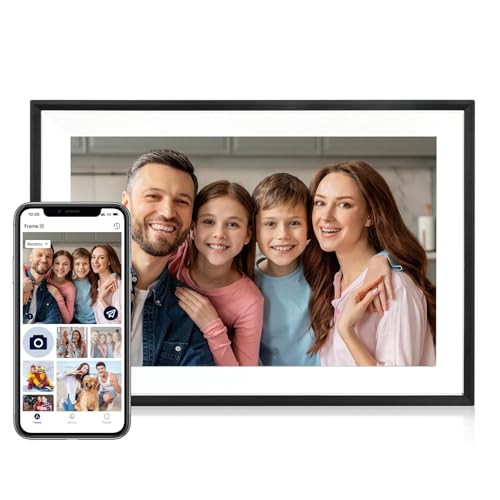
- Instant Share via AiMOR APP: Instantly share life's special moments through the AiMOR app—surprise loved ones with spontaneous photos that appear on their digital picture frame
- 10.1" IPS HD Touchscreen: This 10.1" WiFi digital frame features an HD IPS touch display (1280x800 resolution) delivering vibrant visuals from any viewing angle. Advanced color
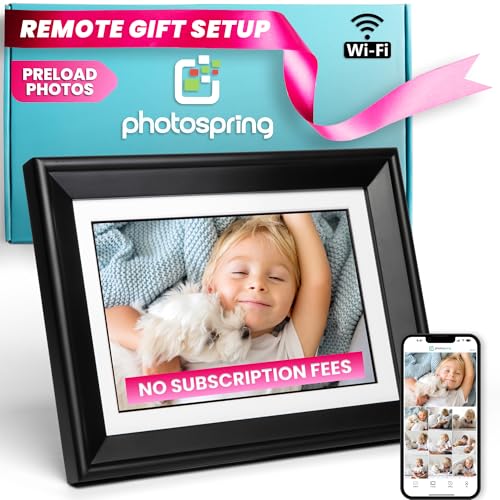
- THE DIGITAL PHOTO FRAME FOR FAMILIES – Unite with your loved ones! The entire family can send photos to a single frame at the same time. Ideal as a photo gift, you can share
- NO SUBSCRIPTION FEES - PhotoSpring frames come fully featured without the need to pay additional fees ever. Other frame companies charge fees for features we include for free
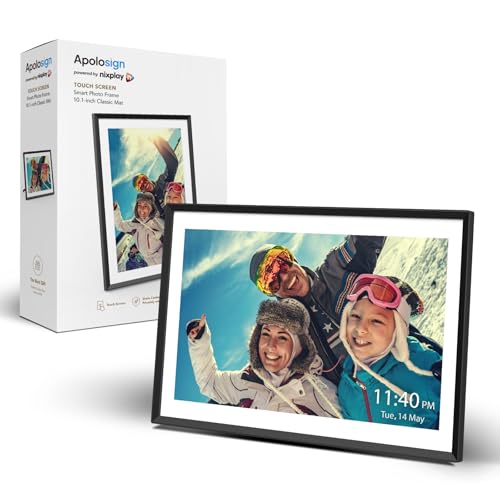
- Setup is As Easy As 1-2-3 - With the Nixplay app (available for Android and iOS), you can invite multiple users to upload photos to the frame. You can even connect multiple
- Privacy, Security, and Free Cloud Storage - Create a private, secure, and GDPR and CCPA-compliant photo-sharing network for your family. With Nixplay's cloud storage, you can
The Problem: Your Photos and Your Screen Are Different Shapes
Phones shoot stills at 4:3 or 3:2 and video at 16:9, and most people hold the phone vertically. Frame panels are landscape rectangles. When a portrait photo hits a landscape panel, the software gets two unappealing choices: shrink the photo until the whole thing fits, which leaves black bars down both sides, or enlarge it until it fills the width, which cuts the top and bottom off.
Of the three frames covered here, only one publishes an exact panel resolution. Amazon's listing for the Digital Picture Frame, 10.1 Inch Picture Frame with 1280800 HD IPS Touch Screen states a 1280800 HD IPS touch screen on a 10.1 inch panel, along with 32GB of built-in memory, auto-rotate and photo or video sharing through the AiMOR app.
That number is worth taking seriously, because it tells you exactly what to crop to. 1280 divided by 800 is exactly 1.6, which makes that panel a 16:10 rectangle. A standard 4:3 phone photo is 1.333:1. To fill a 16:10 screen edge to edge with a 4:3 photo, the frame has to discard roughly 17 percent of the image height. That is where the forehead went.
Why Photos Look Soft Even When the File Is Huge
1280 x 800 works out to 1,024,000 pixels, or about one megapixel of panel. A 12-megapixel phone photo carries more than ten times the detail such a screen can display, so a soft picture on that frame is almost never a shortage of source pixels. Look at these causes instead.
- The sharing app recompressed the file. Many phone apps and messaging services resize before sending. If your sending app offers an original-size or high-quality option, that setting matters more than anything on the frame.
- The original was already small. Screenshots, photos saved out of a group chat, and images pulled from social media are frequently a few hundred pixels tall. Blown up to fill a 10 inch panel, they turn to mush, and no frame setting rescues them.
- Zoom-to-fill is doing damage. Fill modes enlarge and crop simultaneously. Enlargement always costs sharpness.
- Scans and heavy crops. A photo you already cropped to a thumbnail on your phone has nothing left to give.
- Glare and viewing distance. A reflective panel across a bright room reads as blurry even when the file is fine.
Step-by-Step: How to Stop a Digital Frame Zooming In on Photos
- Open the frame's display settings and switch fill mode to fit. Names vary: fit, original, contain, or letterbox. This single change stops the frame cropping to fill and is reversible.
- Turn off any auto-enhance or slideshow zoom effect. Ken Burns style pans are enlargement by another name.
- Check the sending app's quality setting before you send. Look for original size, full quality, or an upload-resolution option, and pick the largest available.
- Pre-crop on your phone to the panel's shape. For a 1280*800 panel that means 16:10, which the listing's own resolution figure gives you directly.
- Bypass the app when it is the bottleneck. Frames that accept email or web upload, or that let you copy files onto internal storage, give you a route that does not pass through a phone app's compressor.
- Re-sync after changing anything. Frames often keep a cached, already-processed copy of a photo, so delete and resend the offending image rather than waiting for it to look better on its own.
Recommended Products
> Frames worth considering when crop and sharpness are your priority > > - Check Price on Amazon for the Digital Picture Frame, 10.1 Inch Picture Frame with 1280*800 HD IPS Touch Screen > - Check Price on Amazon for the PhotoSpring No Subscription, 10in WiFi Digital Picture Frame > - Check Price on Amazon for the Digital Picture Frame Powered by Nixplay 10.1"
Tools and Frames You'll Need
Digital Picture Frame, 10.1 Inch Picture Frame with 1280*800 HD IPS Touch Screen — Best for buyers who want the panel resolution stated before they crop
This is the only one of the three whose listing puts a resolution on the table, and for a cropping problem that is the single most useful fact you can have. Knowing the panel is 1280*800 means you can crop to 16:10 once and stop guessing. The listing also states 32GB of built-in memory, which suggests you can load a library directly onto the frame rather than routing every image through the app.
Pros: exact resolution published; 32GB of built-in storage per the listing; auto-rotate and a touch screen; app sharing via AiMOR.
Cons: roughly one megapixel of panel means fine detail in a large group shot will not survive the downscale, and the listing does not publish a warranty length, a cloud policy, or the frame's supported file formats. The brand is also not a household name, which matters if long-term app support is a concern.
PhotoSpring No Subscription, 10in WiFi Digital Picture Frame — Best for relatives who will only ever send photos by email
Email is the underrated fix for blurry frame photos, because attaching a file often preserves more of the original than a chat app's inline share. This listing states email, app and web sending, a 32gb touch screen, no subscription, a USA company, and video playback up to 5min. For a grandparent's frame that has to accept photos from a dozen different phones, the email path is the one that never needs installing.
Pros: three sending routes including email and web; no subscription per the listing; 32gb of storage; video support up to 5min.
Cons: the listing does not publish a pixel resolution or aspect ratio, so you cannot pre-crop to the panel shape before it arrives, which is exactly the information a cropping-sensitive buyer wants. The 5min video cap is also a hard ceiling on longer clips.
Digital Picture Frame Powered by Nixplay 10.1" — Best for households that want cloud storage and voice control alongside the frame
Amazon's listing for this frame describes a 10.1 inch WiFi frame that accepts photos and videos through the Nixplay app or email, supports Alexa, includes free cloud storage, and auto rotates. Cloud storage matters for image quality in a subtle way: it gives the photo somewhere to live at full size instead of being re-encoded on every hop.
Pros: dual sending routes via app and email; free cloud storage per the listing; Alexa support; auto rotate.
Cons: no panel resolution is published on the listing, so the crop math is unknowable in advance, and the listing states free cloud storage without stating a capacity or how long the free tier lasts. Platform-tied frames also depend on the vendor keeping its app alive.
Tips for Best Results
Crop deliberately rather than letting software guess. If you are curating a set for a gift, batch-crop them to the panel's aspect ratio first; every frame handles a correctly shaped photo identically well.
Mix portrait shots in pairs when the frame supports it, so two verticals share the screen instead of one vertical floating between black bars.
Match the frame to the room, not the spec sheet. A 10 inch panel viewed from across a living room hides softness that becomes obvious on a desk.
Common Mistakes to Avoid
Sending photos through a messaging app and then blaming the frame. Resend one image by email or direct upload as a control before you conclude the hardware is at fault.
Buying on storage capacity alone. A 32gb frame that crops badly is still cropping badly.
Assuming auto-rotate fixes portrait photos. Auto-rotate changes the frame's own orientation on the stand; it does not change how a vertical photo is fitted into a horizontal slideshow.
Expecting a frame to reveal detail that is not in the file. Upscaling invents pixels; it does not recover them.
How We Research
This website does not run a lab and does not do product research. For this page, the three frames were assessed from their Amazon Creators API verified product records, retrieved on 5 September 2026, reading the published listing fields closely and reasoning arithmetically from the one resolution figure that is actually published. Where a listing is silent on a spec, that silence is reported as silence rather than filled in.
Frequently Asked Questions
Why do Frameo photos look low quality when the originals are sharp? That is usually compression or downscaling happening before the file reaches the frame, not the panel itself. Check the sending app for an original-size or full-quality option, and try sending the same photo by a different route, such as email or direct file copy, to see whether the image improves.
Does a higher-resolution frame fix blurry photos? Only if the source file has the detail to show. A 1280*800 panel is about one megapixel, so a modern phone photo already exceeds it many times over. A small screenshot will still look soft on any panel.
What aspect ratio should I crop my photos to? Crop to whatever the panel is. That is straightforward on a frame whose listing publishes 1280*800, which is 16:10; on frames that publish no resolution you have to determine the ratio from the frame itself after it arrives.
Do black bars around a photo mean something is wrong? No. Black bars mean the frame is showing your whole photo rather than cropping it. That is the correct behaviour for a portrait photo on a landscape screen, and it is the trade-off for keeping the full image.
Is built-in storage or cloud storage better for image quality? Neither inherently, but fewer conversions is better. A frame with substantial built-in memory, such as the 32GB stated on one of the listings above, lets you copy files across without passing through an app that may recompress them.
Will a bigger frame make blur more obvious? Generally yes, since the same pixels are spread over more area, though none of these listings publish pixel density figures that would let you compare them directly.
Final Verdict
If cropping and sharpness are the reason you are shopping, buy the frame that tells you its resolution. The Digital Picture Frame, 10.1 Inch Picture Frame with 1280800 HD IPS Touch Screen is the pick here specifically because its listing states a 1280800 panel and 32GB of built-in memory, which lets you crop to 16:10 in advance and load full-size files directly instead of routing everything through an app. It suits the person who curates photos deliberately.
If your problem is instead that relatives send photos inconsistently, the PhotoSpring No Subscription, 10in WiFi Digital Picture Frame earns its place on the strength of email, app and web sending with no subscription, and the Nixplay-powered frame suits households that want free cloud storage and Alexa in the loop. Just go in knowing that neither publishes a panel resolution, so you cannot do the crop math until the box is open.
Related Resources
- How to choose a digital photo frame size
- Wi-Fi photo frames without a subscription
- Sending photos to a frame for elderly relatives
- General consumer protection guidance is available from USA.gov, and product safety recall information from the CPSC.
Sources & Methodology
Nobody at this website physically handled, powered on, or laboratory-tested any of these three frames, and no images were loaded onto them to judge sharpness. What was done instead: each product's Amazon Creators API verified product record was retrieved on 5 September 2026 and read line by line, and the one published resolution figure, 1280*800, was used to derive the aspect ratio and pixel count that drive the cropping arithmetic in this guide. For a category where blur and cropping are almost entirely a function of panel geometry and file handling, that published-spec reading tells you which frame lets you plan your crops before purchase and which ones leave you to work it out afterwards; it cannot tell you about colour accuracy, glare, or build quality, and this page does not claim otherwise.